
Cover photo by Walls.io on Unsplash
Managing your time effectively is one of the biggest challenges freelancers face. Whether you’re juggling multiple clients, working across different projects, or simply trying to ensure you’re billing accurately for your hours, the right time tracking app can be a game-changer. In today’s gig economy, where freelancers work independently without traditional office structures, having reliable time tracking software isn’t just helpful—it’s essential for maintaining profitability and professional credibility.
The struggle is real: without proper time tracking, freelancers often find themselves underestimating how long tasks take, underbilling clients, or worse, losing track of billable hours entirely. This directly impacts your bottom line and makes it difficult to understand where your time actually goes. The good news? Modern time tracking apps have evolved far beyond simple stopwatches. Today’s solutions offer automated tracking, detailed reporting, invoicing integration, and insights that help you work smarter, not just harder.
In this comprehensive guide, we’ll explore the best time tracking apps available for freelancers in 2024, discussing their features, pricing, and how to choose the right one for your specific needs.
Why Time Tracking Matters for Freelancers
Before diving into specific apps, let’s understand why time tracking is crucial for your freelance business. Unlike traditional employees who receive a salary regardless of productivity, freelancers’ income is directly tied to billable hours and project completion. Without accurate time tracking, you’re essentially flying blind.
The financial impact of poor time tracking is significant. Studies show that freelancers lose an average of 2-3 hours per week due to untracked work, unclear project transitions, and administrative overhead. Over a year, that’s roughly 100-150 hours—hours you could be billing but aren’t. For a freelancer earning $50-100 per hour, that’s a loss of $5,000-$15,000 annually.
Beyond finances, time tracking provides valuable data about your work patterns, most profitable projects, and peak productivity hours. This information helps you make better business decisions, such as which clients to prioritize, how to price future projects, and whether you’re overcommitting yourself.
Toggl Track: The Industry Standard for Freelancers
When discussing time tracking apps for freelancers, Toggl Track consistently ranks as the top choice, and for good reason. This app has become the industry standard because it strikes the perfect balance between simplicity and powerful functionality.
Key Features
Toggl Track offers one-click timer starting, automatic project detection, and seamless integration with over 100 applications including Asana, Trello, Slack, and Jira. The mobile app is excellent, allowing you to track time from anywhere, and it includes offline tracking capabilities—meaning you can track time even without an internet connection.
The reporting features are particularly impressive. You can generate detailed reports by client, project, or team member, visualize your time distribution through charts and graphs, and export data in multiple formats for invoicing or further analysis.
Pricing
Toggl Track offers a free plan with basic features, a premium plan at $9 per month, and team plans starting at $15 per month. The free plan includes up to 10 projects and essential reporting, making it perfect for solo freelancers just starting out.
Harvest: Time Tracking Meets Invoicing
If you want an all-in-one solution that combines time tracking with invoicing and expense management, Harvest deserves serious consideration. This app is particularly valuable for freelancers who want to streamline their entire billing workflow.
.png)
What Makes Harvest Stand Out
Harvest automatically converts tracked time into invoices with just a few clicks. You can set hourly rates per project or client, and the app calculates billable amounts automatically. The expense tracking feature lets you log project-related expenses, which you can add to invoices for reimbursement.
The app integrates with popular tools like Basecamp, GitHub, Asana, and over 500 other applications through Zapier. Its time reports are detailed and professional, making it easy to show clients exactly how their budget was spent.
Pricing Structure
Harvest’s pricing starts at $12 per month for freelancers, with team plans available at higher price points. While more expensive than Toggl’s free option, the integrated invoicing functionality often saves enough time to justify the cost.
Clockify: The Budget-Friendly Powerhouse
For freelancers watching their bottom line, Clockify offers exceptional value. This app provides most features you’d find in premium competitors at a significantly lower price point or even free.
Why Freelancers Love Clockify
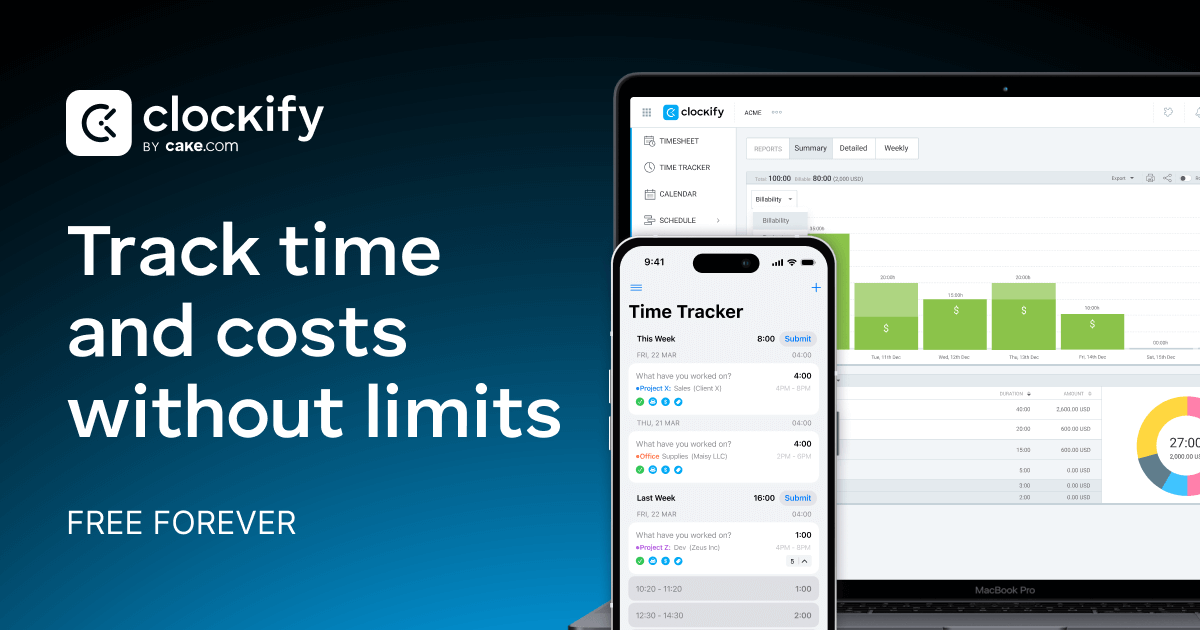
Clockify’s free plan is genuinely unlimited—you can track unlimited projects, clients, and team members at no cost. The timer is simple and fast, and the app includes timesheet features where you can manually log time if you forget to use the timer. Desktop and mobile apps are both robust and user-friendly.
The reporting and analytics tools rival premium competitors, offering timeline views, productivity charts, and custom reports. You can also use Clockify to track billable versus non-billable time, which is crucial for understanding your true profitability.
Pricing
The free plan is comprehensive enough for most solo freelancers. If you need advanced features like project templates or team management, the paid plans start at just $4.99 per month—making it one of the most affordable options available.
Everhour: Time Tracking for Project-Based Work
If you work extensively with project management tools, Everhour integrates more seamlessly than most competitors. This app is designed specifically for freelancers and agencies managing multiple concurrent projects.
Integration and Features
Everhour integrates directly with Asana, Monday.com, ClickUp, and Jira, allowing you to track time directly from your project tasks. This eliminates the friction of switching between apps, as your timer lives right where your work lives.
The app includes budgeting and capacity planning features, helping you forecast project profitability and ensure you’re not overcommitting. Time estimates can be compared against actual time spent, providing insights into your estimation accuracy.
Pricing
Everhour offers a free plan with basic tracking, while paid plans start at $5 per month per user. The platform scales well from freelancers to agencies managing multiple team members.
Toggl vs. Clockify vs. Harvest: The Showdown
To help you decide, here’s how these three industry leaders compare:
Toggl Track excels in simplicity and reporting sophistication. If you want the cleanest interface and most detailed analytics, Toggl is your answer. It’s best for freelancers who want a dedicated time tracking tool that does one thing exceptionally well.
Clockify wins on value for money. If budget is your primary concern and you need unlimited tracking across multiple projects, Clockify’s free plan is hard to beat. It’s ideal for just-starting freelancers or those managing multiple income streams.
Harvest is the all-in-one solution. If you want time tracking, invoicing, and expense management in one platform, Harvest eliminates the need for multiple subscriptions. It’s best for freelancers managing client billing and who benefit from automation.
Additional Tools That Enhance Time Tracking
While dedicated time tracking apps form your foundation, complementary tools can enhance your workflow. Content creators and copywriters, for instance, often benefit from AI writing assistants like Writesonic and Copy.ai to increase productivity alongside time tracking. By optimizing your actual output speed, you maximize the value of each tracked hour.
Similarly, Surfer SEO helps content freelancers work more efficiently by providing data-driven optimization suggestions, reducing the time spent on research and revisions. When combined with accurate time tracking, you can see exactly how tools like these improve your hourly output rate.
Choosing Your Perfect Time Tracking App
The best time tracking app depends on your specific situation. Consider these factors:

Integration needs: If you’re already deep into an ecosystem (Asana users, GitHub developers, etc.), choose an app that integrates natively rather than requiring workarounds.
Invoicing requirements: If you need integrated invoicing, Harvest is superior. If you use separate accounting software, a standalone time tracker is fine.
Budget constraints: Bootstrapping freelancers should start with Clockify’s free plan, while established freelancers can justify $10-15/month for premium features.
Team plans: If you’re growing and hiring contractors, consider whether the app scales affordably for multiple users.
Maximizing Your Time Tracking Results
Having the right app is just the beginning. To truly benefit from time tracking, adopt these practices:
Be consistent: Track time immediately when switching tasks. Backfilling time entries leads to inaccuracy and defeats the purpose of tracking.
Categorize properly: Use clear project names and task descriptions so your reports are actually useful for analysis.
Review weekly: Spend 15 minutes every Sunday reviewing your tracked time. Look for patterns, time drains, and opportunities to improve.
Use data for pricing: After tracking projects for 2-3 months, you’ll have real data about how long different work types take. Use this when quoting future clients.
Share selective reports: Use your time tracking data to show clients transparency about how you spent their budget, building trust and justifying your rates.
Conclusion
The best time tracking app for freelancers isn’t necessarily the most feature-rich or expensive option—it’s the one you’ll actually use consistently. Whether you choose the simplicity of Toggl Track, the affordability of Clockify, the all-in-one convenience of Harvest, or the project integration focus of Everhour, the important thing is to start tracking your time today.
Accurate time tracking transforms your freelance business from guesswork to data-driven decision-making. You’ll understand your true hourly rate, identify your most profitable work, and ensure you’re never undercharging clients again. Combined with productivity tools and smart business practices, time tracking becomes the foundation of a thriving freelance career.
The difference between struggling freelancers and successful ones often comes down to this: successful freelancers know exactly where their time goes and optimize accordingly. Invest 30 minutes today to set up one of these apps, and you’ll wonder how you ever worked without it.
Ready to take control of your time and boost your income? Start with a free trial of Toggl Track or Clockify this week. Your future self—and your bank account—will thank you.